Quick answer
FamHead is built only for iPhone and iPad. It has seven free Home Screen widgets, including Quick Add, Tasks Assigned, a shopping list count, a Mental Load check-in, and a Special Days countdown, plus Siri phrases and an iPad layout. There's no Android or web version.
FamHead is a family organizer built only for iPhone and iPad. That focus shows in the details: Home Screen widgets for adding a task or grocery item in one tap, Siri phrases, a larger layout on iPad, and Sign in with Apple. Everyone in the household uses their own account and sees the same shared tasks, shopping list, and decisions.
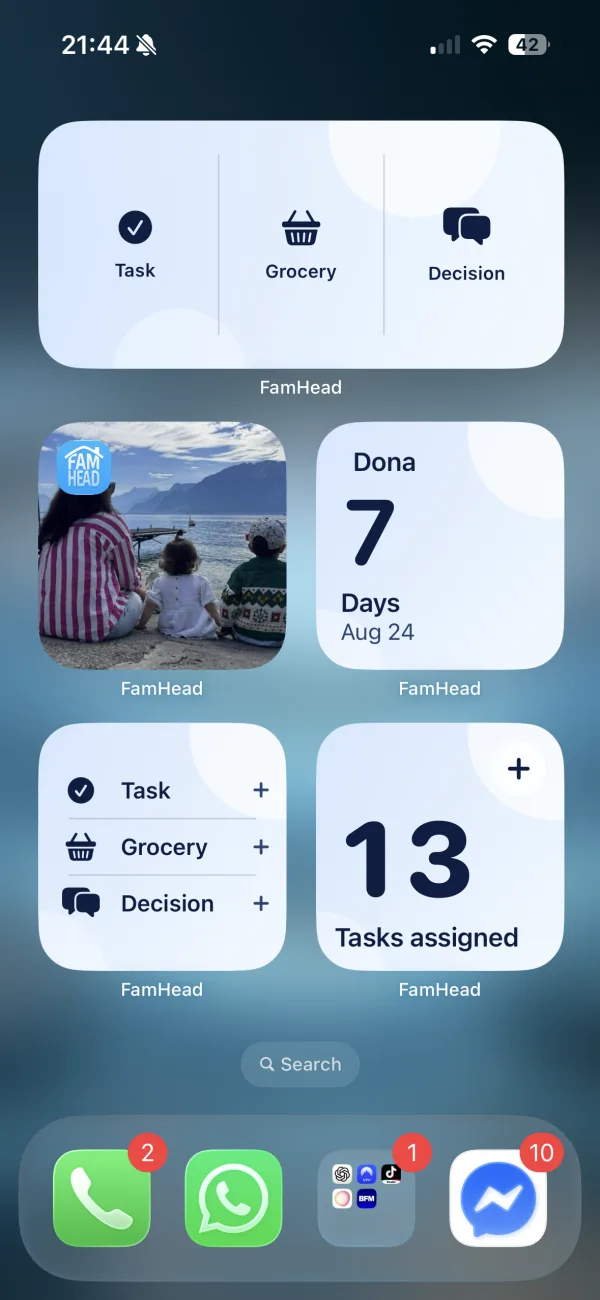
Seven widgets for your Home Screen
| Widget | What it shows | Sizes |
|---|---|---|
| Quick Add | One tap to add a task, a grocery item, or a decision | Small, medium |
| Tasks Assigned | How many tasks are yours, with a button to add one | Small |
| Shopping List | How many items are on the shared list | Small |
| Mental Load Check-in | A one-sentence read on how household work is shared, in the tone you pick | Small, medium |
| Special Days | A countdown to the next birthday or anniversary, with buttons to flip through them | Small, medium |
| Family Photos | Your household photos, rotating | Small |
| Lock Screen | A shortcut that opens FamHead | Circular |
All widgets are free. Two widget styles (Classic and Soft) are free, and six more styles come with Premium.
More ways to capture things fast
- Siri: "Capture groceries in FamHead" or "Record a household update in FamHead".
- Voice planning: say several things at once and review the tasks, groceries, and decisions FamHead suggests. See how it works.
- Special Days: birthdays, anniversaries, and remembrance days repeat every year, and FamHead notifies the household on the day.
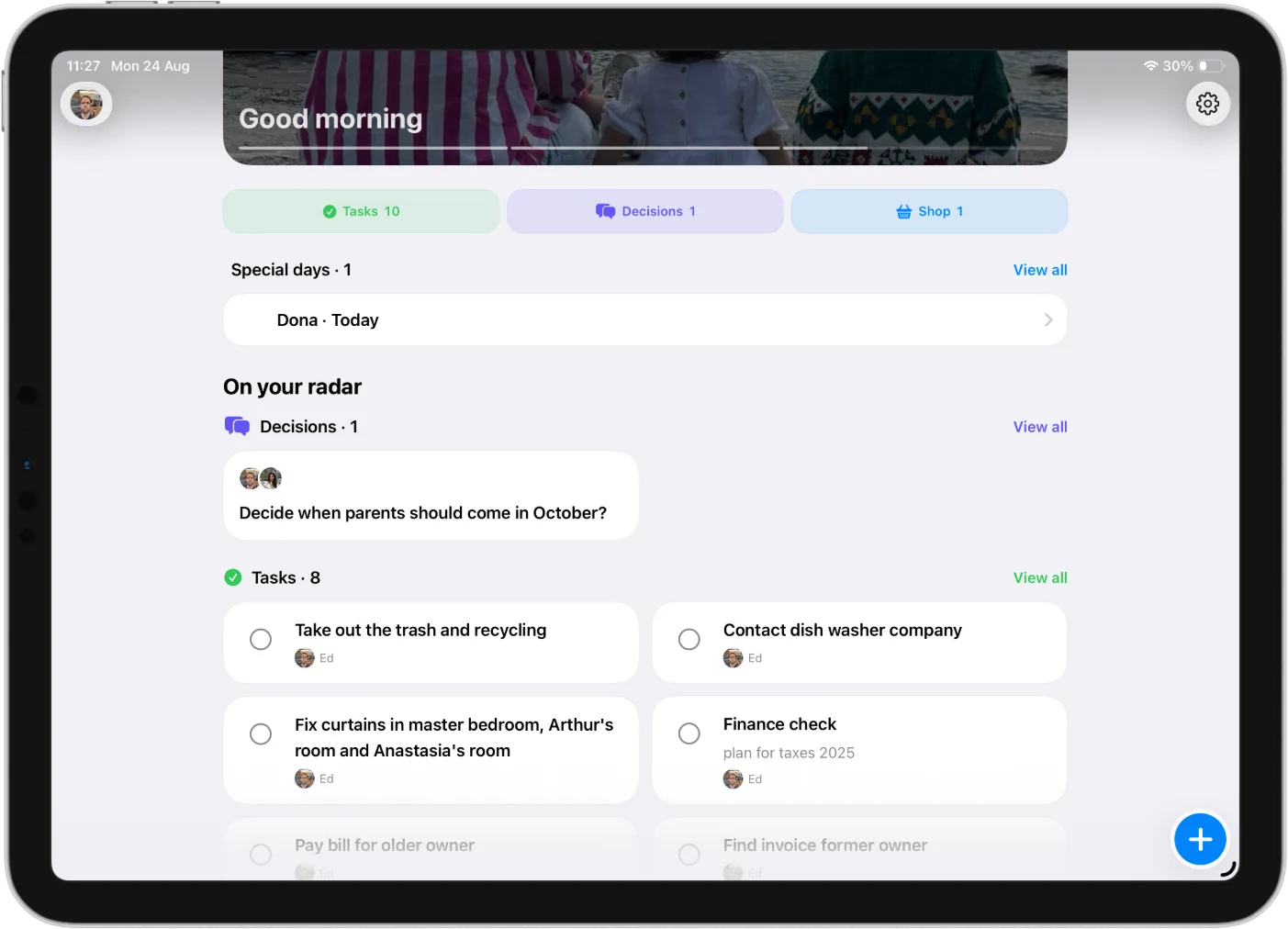
On iPad
The iPad layout uses the extra space to show your household at a glance. It works well on a kitchen counter during a weekly check-in.
Set up your household in a few minutes
- Download FamHead on your iPhone or iPad and sign in with Apple.
- Create your household and invite your partner with a QR code or a shared link.
- Add children who don't have a device, so they can be given tasks too.
- Add your next grocery shop and five tasks with owners.
- Put the Quick Add widget on your Home Screen.
The full walkthrough is in our setup guide.
Frequently asked questions
Which iPhones and iPads can run FamHead?
FamHead needs iOS 26 or iPadOS 26 or later. Check the App Store listing for current compatibility.
Is there an Android, web, or Apple Watch version?
No. FamHead is for iPhone and iPad only. If someone in your household uses Android, compare cross-platform apps in our family organizer app guide.
Does FamHead sync with Apple Calendar?
No. FamHead doesn't include a calendar or calendar sync. Keep appointment times in Apple Calendar or Google Calendar, and use FamHead for the tasks, shopping, and decisions around them. Special Days covers yearly dates such as birthdays.
Are the widgets free?
Yes. Every widget is included in the free plan. Premium adds six extra widget styles. See what's free.