Quick verdict
Google Keep is free, works on every phone, and is enough for one shared grocery list. Its help pages describe no way to give a checklist item an owner. FamHead adds one owner per task, deadlines and repeats, an aisle-sorted grocery list, and a Mental Load view, on iPhone and iPad.
A shared Google Keep note is a great family grocery list: it's free, it works on every phone, and everyone can check things off. It gets harder when the question changes from "what do we need?" to "who is doing this, and by when?". Keep has no way to give a checklist item an owner. That's where a household app like FamHead fits.
Google Keep vs FamHead at a glance
| Google Keep | FamHead | |
|---|---|---|
| Price | Free | Free plan; Premium $29.99/year in the US |
| Devices | Android, iPhone, and web | iPhone and iPad |
| Shared grocery list | A shared checklist note | One shared list, sorted by aisle, with quantities and history |
| Who owns a task | No per-item assignment in Google's documentation | One owner per task, notified when assigned |
| Deadlines and repeats | Reminders are personal to whoever sets them | Deadlines and weekly, monthly, or yearly repeats on each task |
| Decisions | Write them in a note | Decisions with the people involved and the outcome |
| Seeing who carries the load | No | Mental Load view |
| Sharing with family | Share notes with your Google family group | Invite people to your FamHead household |
Google documents sharing notes with a family group and collaborating on notes. Anyone in the family group can edit or delete a shared note.
When Google Keep is enough
- Your family mainly needs one grocery list and everyone checks it.
- Someone uses Android, or you want to edit lists on a computer.
- You already use Google family sharing, so setting it up takes seconds.
If that's you, there's no reason to switch.
When FamHead works better
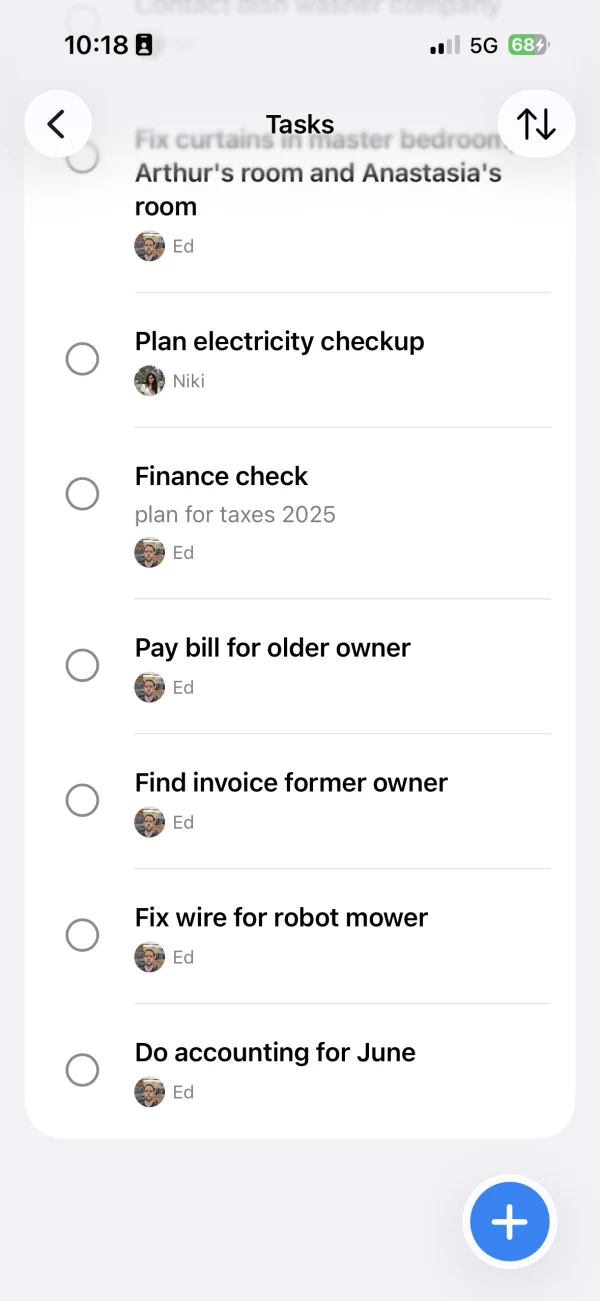
- Jobs keep falling to one person. A checklist says what needs doing, not who's doing it. In FamHead every task has one owner who's notified when it's assigned.
- Recurring chores. Trash day, monthly bills, and yearly renewals repeat on their own.
- Groceries are getting long. FamHead sorts items into aisles automatically and brings regulars back from history.
- You want to see the balance. The Mental Load view counts each person's open tasks and decisions.
Try both with the same three items
- A grocery item: toothpaste.
- A task with a deadline: return the school form by Friday.
- An open question: are we hosting lunch on Sunday?
Put them in your Keep note and in FamHead. After a week, ask which one told everyone who was doing what without a follow-up message.
Frequently asked questions
Can you assign items to people in Google Keep?
Google's Keep help pages don't describe assigning a checklist item to a person. You can share a note with your family group so everyone can edit it, and you can set reminders, but reminders are personal to the person who sets them.
Is there a family organizer like Google Keep but with task owners?
Yes. FamHead keeps the simplicity of a shared list and adds an owner, deadline, or repeat to each task, on iPhone and iPad. For other options, see the best family to-do list apps.
Can I use Google Keep and FamHead together?
Yes. Many families keep reference notes, like recipes and Wi-Fi passwords, in Keep and move active tasks and groceries to FamHead. Just keep each grocery list in one app only.