Quick answer
FamHead gives your household one shared grocery list. Anyone can add items with quantities or weights, items sort into aisles automatically, regulars come back from history, and checked items move to the basket for everyone. It's unlimited on the free plan.
One list for the whole household: anyone can add to it at home, and whoever is at the store checks things off while everyone else sees what's left. FamHead's shared grocery list sorts items by aisle automatically, remembers what you buy often, and is unlimited on the free plan.
How the shared list works
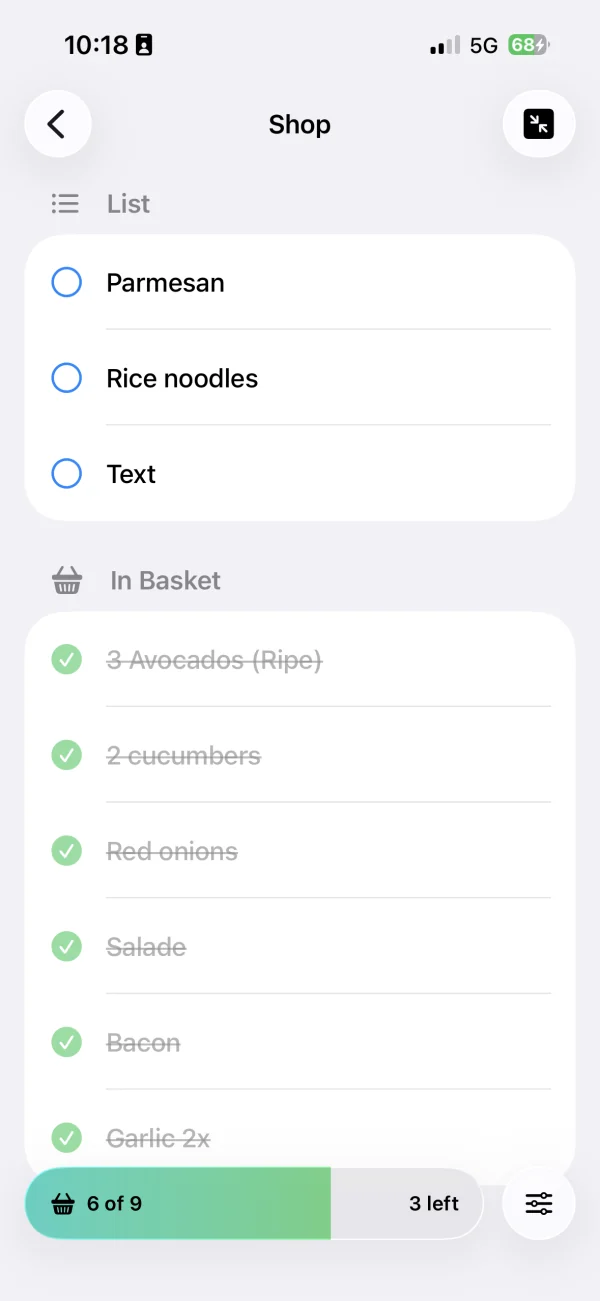
- Add it when you notice it. Whoever uses the last of the oat milk adds it, so nobody keeps the list in their head.
- Quantities or weights. "3 avocados" or "750 g chicken thighs", in metric or imperial.
- Sorted by aisle. Items are grouped into sections such as Fruit & Veg, Bakery, and Dairy & Eggs automatically, so you shop the store in one pass. Turn grouping off if you prefer.
- Add from history. Regulars like coffee beans or sourdough are a tap away, quantities included.
- In the basket. Checked items move to the basket with a progress count, so two people splitting the shop can see what the other already has.
- Untick all. Reset the list in one go for the next shop.
Add groceries without opening the app
- Voice: "We need 5 avocados, two cartons of milk, and dishwasher tablets." FamHead turns it into shopping items with amounts for you to check.
- Widgets: the Shopping List widget shows how many items are waiting, and the Quick Add widget opens a new grocery item from your Home Screen.
- Siri: say "Capture groceries in FamHead" to add items hands-free.
A shopping list habit that sticks
- Whoever uses the last of something adds it straight away.
- Write what the shopper needs to know: "Fragrance-free detergent", not "detergent".
- Check the fridge and cupboards against the week's dinners before the main shop.
- Check things off as they go in the basket, not at the checkout.
- Untick all when you're home, so the list starts clean.
Planning meals first makes the list shorter and the shop faster. Our free printable meal planner gives you a weekly plan with a grocery list; copy what's missing into FamHead. For more, read how to make a shared grocery list your family actually uses.
Frequently asked questions
Is the FamHead grocery list free?
Yes. The shared shopping list is unlimited on the free plan, with no cap on the number of items. Premium only affects other features, such as the number of active tasks. See what's free.
Can more than one person shop from the list at the same time?
Yes. Checked items move to the basket for everyone, so if you split up in the store, each of you can see what the other has already picked up.
Can we keep separate lists for different stores?
Not at the moment. FamHead has one shared list per household, sorted by aisle. If you shop at several stores, add the store to the item name, such as "Costco: paper towels".
Is our shopping list private?
The text of your shopping items is end-to-end encrypted, so it's encrypted on your device before it's shared with your household. Read the privacy policy for details.
Does it work on Android?
No. FamHead is for iPhone and iPad. Mixed iPhone and Android households can compare options in our family organizer app guide.