
Quick verdict
Choose Cupla if you mainly need to combine two calendars, plan dates, or one of you uses Android. Choose FamHead if your calendars work but the household jobs land on one person: every task has an owner, kids can be included, and the Mental Load view shows the split.
Cupla is a calendar app for couples: it brings both partners' calendars together and adds date planning, countdowns, and shared lists. FamHead is a household app: tasks with one owner, a shared grocery list, decisions, and a view of who carries the mental load, for a couple or a whole family with kids. If your problem is finding time together, choose Cupla. If it's sharing the work of running the home, choose FamHead.
FamHead vs Cupla at a glance
| FamHead | Cupla | |
|---|---|---|
| Built for | A household: couples, families, kids | Couples |
| Devices | iPhone and iPad | iPhone, Mac, Android, and web |
| Calendar | No calendar | Combines Apple, Google, and Outlook calendars and work rosters |
| Tasks | One owner per task, deadlines, weekly, monthly, or yearly repeats | To-dos you can assign to yourself or your partner |
| Grocery list | Unlimited, sorted by aisle automatically | Shared grocery list |
| Seeing who carries the load | Mental Load view | Not listed |
| Household decisions | Yes | Not listed |
| Relationship features | Not offered | Date planner, key dates, countdowns, wishlists |
| Children | Add kids without a phone and assign tasks | Built for two |
| AI | Voice planning that turns speech into tasks and groceries | Cupla AI assistant |
| Free plan | Unlimited grocery list, 10 active tasks, no ads | Partner's calendar items in a limited window around today |
| Paid plan | $29.99/year in the US, shared via Family Sharing | One subscription per couple; price varies by region |
Cupla details come from Cupla's app page and its plans help article, checked October 8, 2026. "Not listed" means we didn't find the feature there.
Choose Cupla if
- You mainly need to see both partners' schedules in one place, including work calendars or shift rosters.
- One of you uses Android or wants a desktop or web version.
- Date nights and relationship planning are part of what you want from the app.
Choose FamHead if
- Your calendars already work, but the jobs around them land on one person.
- You have kids and want to give them tasks too.
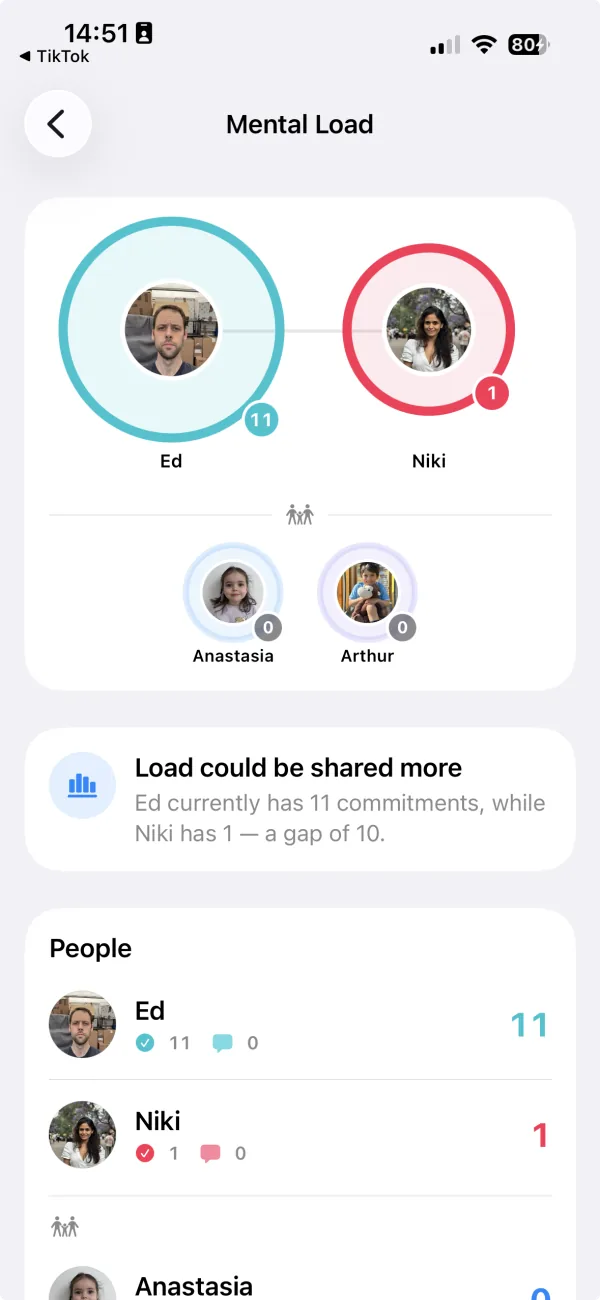
- You want to see how household work is split, not just list it. FamHead's Mental Load view counts each person's open tasks and decisions.
- You both use an iPhone or iPad.
Using both
Cupla and FamHead overlap less than it seems. Some couples use Cupla for "when are we both free?" and FamHead for "who's handling the dentist, the groceries, and the school forms?". If you do, keep each kind of thing in one app only: events in Cupla, tasks and groceries in FamHead.
Frequently asked questions
Is Cupla free?
Cupla has a free plan, but your partner's calendar items only show in a limited window around today. Premium unlocks the full time range and higher AI limits, with one subscription covering the couple. Cupla says pricing varies by region.
What is the best household management app for couples?
For sharing chores, groceries, and decisions with clear ownership on iPhone, FamHead. For combining two calendars and planning time together, Cupla. Our guide to household management for couples explains how to set up a system you'll both keep using.
Can FamHead show my partner's calendar?
No. FamHead has no calendar. Keep schedules in Apple Calendar, Google Calendar, or Cupla, and use FamHead for the tasks and shopping around them.